
vCenter 5.1 Single Sign On Multi-Site error: User credentials are incorrect or empty
 Sam McGeown
 While adding an additional vCenter Server to our Multi-Site Single Sign On instance I encountered a problem as I entered the details of the existing SSO.

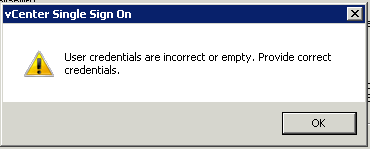
The error thrown was:
User credentials are incorrect or empty. Provide correct credentials.
After a couple of hours online with VMware support I took a guess at the problem. On the existing Single Sign On Configuration I have added the Active Directory domain DefinIT and in order to enable integrated authentication from the vSphere Client I moved it to the top of the list - this meant that System-Domain is no longer the default authentication domain. The SSO admin account (admin@System-Domain) is a part of that domain and so my guess is that the installer tries to authenticate using [email protected] rather than System-Domain, which of course failed.
Moving System-Domain back to the top of the list allowed me to install correctly, and once finished I could drop it back down to allow integrated authentication again.