

If you’re getting a error on your LAN connection it’s possible that your network connection is attempting 802.11 authentication on your wired network. Unfortunately, it seems that Vista/Server 2008 both attempt it before reverting. As far as I can see, it’s not causing any issues, other than irritating me with a “failed” and a red question mark.
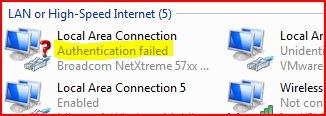
Fortunately, it’s pretty easy to fix! The authentication is handled by the Wired AutoConfig service, so it’s just a case of disabling it. Navigate “Start”, then click “Run” (or just hit Win + r) and type “services.msc”. Click “OK” and the Services console will fire up.
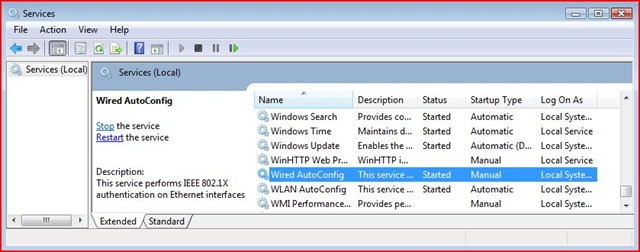
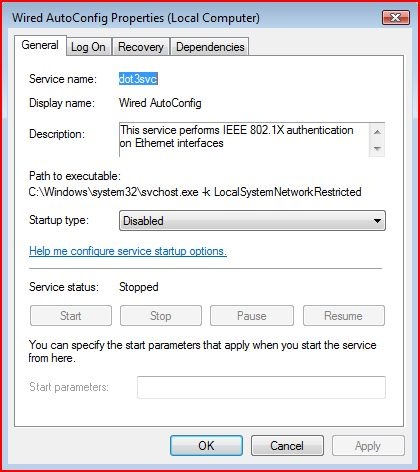
Now if you scroll down to Wired Autoconfig and configure it as below (Stop the service, then select “Disabled” as the startup type).
Alternatively, you can enable 802.11 on your Windows Domain…but that’s another story!