


When it comes to servers you really want to audit, those that are by definition more at risk from security breach because they are publicly accessible, it’s not so straightforward. Take for example that web server, or FTP host in your DMZ, certainly not domain joined and probably bombarded by daily brute force password attacks. Select the SCOM agent in the console and enable Audit Collection Services?
Nope.
But as you have SCOM already installed, you’ve either set up a Gateway server, or used Certificates to secure communication between the server and your Management Server – so it should be OK, right?
Nope.
To reduce the possibility of interference between Forwarder and Collector, routing through a Gateway is not allowed. Communication must be direct between the two, which means that even your remote domain featuring a Gateway server must allow ALL servers you wish to collect security data from to communicate with ACS directly.
Configuring the ACS Collector to use Certificates#
I’m going to assume that you’ve already configured SCOM to communicate using Certificates and that your ACS Collector is on the same server as your Management Server.
- On the ACS Collection Server, open up a command prompt (as administrator, if you’re Server 2008) and navigate to the %systemroot%\system32\security\adtserver
Stop the ADTServer service using “net stop adtserver”
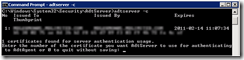
- Start the ADTServer “net start adtserver”
Configure Dummy Computer Accounts with X.509 certificate mapping#
You need a copy of the SCOM certificate from your Forwarder servers on a domain member server with Active Directory Users and Computers access. If you don’t have a copy of the certificate, you can export it from the Forwarder server itself using the Certificates snap-in in MMC, but make sure you save it in DER encoded X.509 format. I use the machine name to name the certificate file so it’s easy to identify.
Open Active Directory Users and Computers and create an OU to contain the dummy accounts. I created one called “SCOM ACS Forwarders”
Right click in the new OU and create a new Computer object with the same NETBIOS name as the Forwarder server you wish to collect. Under the View menu, make sure “Advanced” is selected. Right click the new computer object and select “Name Mappings…”. Under the X.509 Certificates tab, click Add and import the SCOM Certificate you exported earlier.
Configure the ACS Forwarders#
On each server that will be forwarding to the Collector, log onto the server and open a command prompt. For Server 2008, run as administrator.
navigate to “%systemroot%\system32\”
Import the certificate for the agent by running “ADTAgent.exe –c” and selecting the correct certificate from the list.
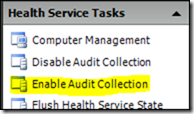
Open your Operations Manager Console, select the Monitoring tab and expand Operations Manager > Agent and select the “Agents by Version” panel.
Select up to 10 agents at a time, and in the right hand Actions pane you can “Enable Audit Collection”