Warning: This article is now 16 years old! It is highly likely that this information is out of date and the author will have completely forgotten about it. Please take care when following any guidance to ensure you have up-to-date recommendations.

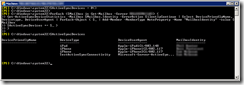
This is the script:
$ActiveSyncDevices = @()

ForEach ($Mailbox in Get-Mailbox –Server MBX01) {
Get-ActiveSyncDeviceStatistics -Mailbox $Mailbox.Identity –ErrorAction SilentlyContinue | Select DeviceFriendlyName, Devicetype, DeviceUserAgent | ForEach-Object { $_ | Add-Member –MemberType NoteProperty -Name "MailboxIdentity" -value $Mailbox
$ActiveSyncDevices += $_ }
}

$ActiveSyncDevices | Export-csv c:\Path\To\File.csv
Walking through the script it gets all the mailboxes from the server MBX01, gets an object containing the ActiveSync device name, type and user agent. It then adds a property to that object called “MailboxIdentity” and adds it to that object. That object is then added to an array of objects called ActiveSyncDevices, which is then exported to CSV.