

Warning: This article is now 14 years old! It is highly likely that this information is out of date and the author will have completely forgotten about it. Please take care when following any guidance to ensure you have up-to-date recommendations.


Power On virtual machine
Cannot initialize property ’ vami.DNS0.vSphere_Man- agement_Assistant_(vMA)’ , since network ‘ ’ has no associated IP pool configuration.
Edit the vMA virtual machine’s properties and go to Options, vApp Options and select disable. Acknowledge the warning and click OK to close the VM properties.
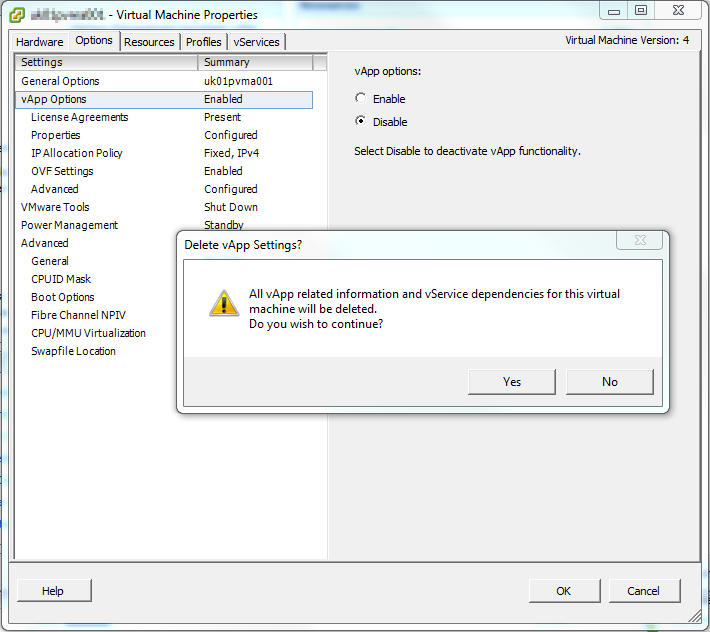
The vMA booted fine after that - the solution comes from this vmware communities post.