

 One of the many perks of being a vExpert is the cool vexpert.me URL shortener provided by Darren Woollard (@dawoo). There are several ways for vExperts to use it once they’ve signed up – there’s a PowerShell script by Jonathan Medd (@jonathanmedd) and Maish Saidel-Keesing (@maishsk) and now even a GUI interface based on the PowerShell.
One thing I wanted to do was to automate the short links for my WordPress installation, so before attempting to write a plugin myself I had a quick search for YOURLS, the software Darren uses to create access. I found “YOURLS Link Creator” by Andrew Norcross which did exactly that.
Once it’s installed and activated you simply need to get your YOURLS API Signature Key from your settings page at vexpert.me, and enter the details in the settings:

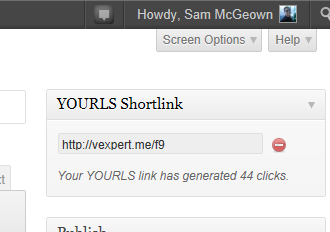
Now whenever I submit a new blog post I can see a generated vexpert.me short link, which is also used by other plugins that call the wp_shortlink variable in WordPress (like the social plugin that posts to twitter, facebook, google+ and LinkedIn)
Just one more way to access another great service – thanks again to @dawoo! I’ve not seen anyone else publish a how-to on this, so apologies if it’s obvious!