

I ran into a strange one with my lab today where the previously working VSAN cluster couldn’t be enabled. Symptoms included:
- The button to enable VSAN was missing from vSphere Web Client
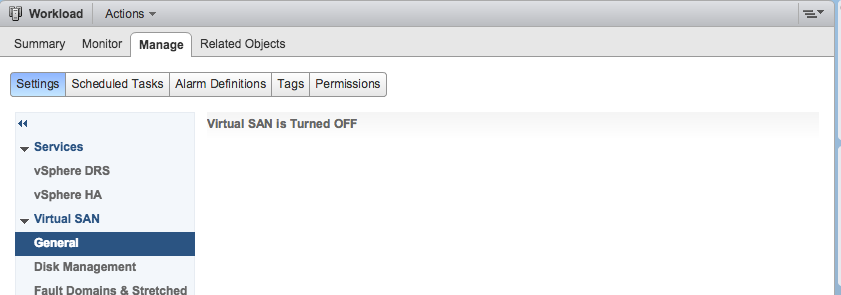
- vsphere_client_virgo.log had the following error:
\[2016-09-16T14:49:03.473Z\]\[ERROR\]http-bio-9090-exec-18 70001918 100023 200008 com.vmware.vise.data.query.impl.DataServiceImpl Error occurred while executing query:
QuerySpec
QueryName: dam-auto-generated: ConfigureVsanActionResolver:dr-57
ResourceSpec
Constraint: ObjectIdentityConstraint
TargetType: ClusterComputeResource
Target: ManagedObjectReference: type = ClusterComputeResource, value = domain-c481, serverGuid = a44e7d15-e63f-46c2-a1aa-b9b1cbf972be
I was able to enable VSAN on the cluster using rvc commands
- SSH to VCSA
- Enable bash shell
- rvc [email protected]@locahost
- vsan.enable_vsan_on_cluster /localhost/
/computers/
Following the enabling of VSAN on the cluster, I was still getting errors:
- “Unable to load VSAN configuration” when viewing the VSAN configuration for the cluster in the vSphere Web Client
- “HTTP400 Error” when viewing the cluster summary tab, on the VSAN health widget
The HTTP400 Error led me to the following KB VMware Virtual SAN 6.x health plug-in fails to load with the error: Unexpected status code: 400 (2133384), following the resolution in this KB resolved the issue.
It seems that, yet again, VMware’s certificate tooling does not replace a key certificate, and this is the root cause of the problem. When I deployed the VCSA, I configured the PSC as a subordinate Certificate Authority and followed the documented procedure to replace the certificates. Clearly this one was missed!