Written by Sam McGeown
on 12/6/2013With the release of vCenter Log Insight Public Beta (
This is such a bread and butter task that it doesn’t require more than a few words – it’s definitely worth looking at the Sizing PDF before you deploy (
Written by Sam McGeown
on 11/6/2013The vSphere UMDS provides a way to download patches for VMware servers that have an air-gap, or for some reason aren’t allowed to go out to the internet themselves – in my case a security policy prevented a DMZ vCenter Server from connecting to the internet directly. The solution is to use UMDS to download the updates to a 2nd server that was hosted in the DMZ and then update the vCenter Server from there. It also can save on bandwidth if you’re running multiple vCenter Servers, which again was the case (though bandwidth isn’t really a constraint).
Written by Sam McGeown
on 17/10/2012
I ran into this issue yesterday while reconnecting hosts in our vCenter Server following a complete reinstall - the reasons for which are a long story, but suffice to say that there were new certificates and the host passwords were encrypted with the old ones.
The LUNs had been unpresented at the hardware level by the storage team, but had not been unmounted or removed from vCenter. This is not the way to remove storage - let me re-iterate:
Written by Sam McGeown
on 20/8/2012
If you are close to the VMware ESXi storage path limit of 1024 paths per host, you may want to consider the following: local storage, including CD-ROMs, are counted in your total paths.
Simply because of the size and age of the environment, some of our production clusters have now reached the limit (including local paths) - you see this message in the logs
[2012-08-20 01:48:52.256 77C3DB90 info ‘ha-eventmgr’] Event 2003 : The maximum number of supported paths of 1024 has been reached. Path vmhba3:C0:T4:L0 could not be added.
Written by Sam McGeown
on 3/3/2011Recently I installed and configured a client’s new ESXi host, they’re a small company and only require a single host. The host in question was an IBM x3650 M3, an excellent workhorse for virtualisation and one of 5 or 6 of the same model that I’ve installed in the last year. In addition to the onboard Broadcom Dual Gigabit NIC, we always install at least a second Intel PCIx Dual Gigabit card for resilience/redundancy/performance.
Written by Sam McGeown
on 12/11/2010
Recently I had cause to configure iSCSI multipathing on a test ESXi server. The production environment servers use iSCSI HBAs to connect to the back end storage, so multipathing them is a straight-forward setup.
It’s good practice to separate VMotion, virtual machine and iSCSI traffic, it also helps you manage those logical and physical connections.
Connect to your ESXi server using the vSphere Client and select the host. Go to the configuration tab and click “Add Networking…”. Select a new VMKernel connection type.

Written by Sam McGeown
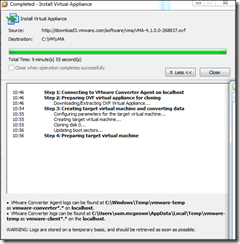
on 21/10/2010vMA is available as a Virtual Appliance (OVF) from VMware. To install it on VMware Workstation 7, open Workstation and select Import or Export to import a new OVF, the URL for the latest OVF for vMA is on the vMA download page
![]()
As per this article on virtualkenneth.com, you need to edit the VMX file to change the SCSI card and OS type, otherwise you’ll have a kernel panic on boot.