PowerShell

Written by Sam McGeown on 28/10/2011
Published under Microsoft, VMware

Just a quick script to set the Path Selection Policy on any LUNs on a host that do not have your target policy enabled. The script sets the server to Maintenance mode first, evacuating any VMs if you are in a full DRS automated environment. While this is not strictly necessary, it was required for my production environment just to be safe.

Written by Sam McGeown on 18/10/2011
Published under

The DFS monitoring tool in SCOM 2007 has some great features, which will replace many a custom VB script running in enterprises. As with a lot of Management Packs, to get the most out of it you need to have a dedicated RunAs account with local admin permissions on the servers you are monitoring (e.g. for the Backlogged Files reporting).

The easy (and wrong) option here is to go with the less secure option and distribute a RunAs account to ALL servers. There are lots of reasons why you wouldn’t want to distribute the credentials to every server in your SCOM installation – but just from a security standpoint, you shouldn’t do it! Selecting the “More Secure” option and distributing credentials only to servers which will require them is a much safer bet.

Written by Sam McGeown on 21/3/2011
Published under Microsoft

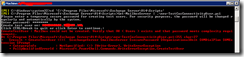
While using the New-TestCasConnectivityUser.ps1 script to create a test user for Exchange 2010’s connectivity testing, I ran into an issue:

Oddly enough, that OU does exist (as it will by default on any Windows Domain!) and the password complexity more than satisfied the complexity requirements. The issue is simple enough to fix, I opened the script in notepad and found the line beginning “new-mailbox” – and deleted the parameter “–OrgainisationalUnit:$OrganistationalUnit”. This means the new user defaults to the default OU – Users!

Written by Sam McGeown on 8/2/2011
Published under

Recently I needed to report on the ActiveSync devices that were attached to our Exchange 2010 organisation, and which users they were accessing, and then export them to a CSV file.

This is the script:

Walking through the script it gets all the mailboxes from the server MBX01, gets an object containing the ActiveSync device name, type and user agent. It then adds a property to that object called “MailboxIdentity” and adds it to that object. That object is then added to an array of objects called ActiveSyncDevices, which is then exported to CSV.

Written by Sam McGeown on 24/11/2010
Published under Microsoft

Today I was configuring a new FTP server based on IIS7 (well, 7.5 technically as it’s a Server 2008 R2 host), and I wanted an easy way to add and remove allowed IP addresses based on either an XML config file or a CSV import. Customers’ IP addresses are added or removed regularly, but I didn’t want to have to update their details twice, once on the server and once in the documents.

Written by Sam McGeown on 13/9/2010
Published under Microsoft

With the release of Exchange 2010 SP1, administrators can now use separate Mailbox Databases to store the Personal Archives of users – this is particularly useful if you have some larger, slower (and probably by virtue, older) storage that’s not really up to the I/O of your Exchange Server (that old SAN/NAS sitting in the corner of the server room?). It’s also useful if you just don’t have the capacity on your main storage.

Written by Sam McGeown on 24/3/2010
Published under Microsoft

So, you’ve installed a new server with Server 2008 R2 Core – what next? Logging on, you’re presented with a shiny command prompt, you can run notepad or regedit…but aside from that, where do you go from there? In the next few series of posts I’ll hopefully point out the basics, and some not so basics!

In this post, I’m covering Installing the IIS web server (and a few useful bits) and managing it from the IIS Management Snap-in.

Written by Sam McGeown on 20/1/2009
Published under

Our development SQL server is a monster…there are many many databases, and hundreds, if not thousands of backup files. With each patch tested on the software we sell, there is a new backup. With each client deployment, a new database. With each new major version, a new database. Backups of the new databases inevitably occur, and so we have more files, in more folders - most of which need to be kept in case of roll-backs, bugs or deployment issues.

Written by Sam McGeown on 11/9/2008
Published under

I needed to use PowerShell for something today on my Vista laptop, but was unable to install the file. I had the normal UAC permission required when I ran it,  but then it failed with this error

Installer encountered an error: 0x80070422

The service cannot be started, either because it is disabled or because it

has no enabled devices associated with it.

It turns out that you need to enable the Windows Update service in order to use an MSU file. How backwards is that? Well, lets see, I have to run a SERVICE in order to be able to install applications.