
VMworld
 Written by Simon Eady
on 15/10/2015
Written by Simon Eady
on 15/10/2015Wednesday
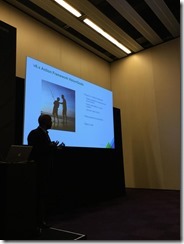
I had lined up several sessions so I was quick to get along to my first session - Operational Remediation with vRealize Operations… Tying it All Together - #MGT5735. The session was excellent and gave a great overview and introduction to what is possible with remediation in vROps 6.1. Big thanks to Chima Njaka for this session.
Aside from a few other sessions I spent a lot of the afternoon in the VMUG lounge with my colleagues from
 Written by Sam McGeown
on 14/10/2015
Written by Sam McGeown
on 14/10/2015@vaficionado) – if that list of names doesn’t fill you with confidence for vRA.Next, then I suggest you follow them on twitter and trust me that it’s a crack team!
So, my highlights:
- Completely automated deployment…almost. The deployment of appliances and installation of IaaS components and pre-requisites will be wizard driven, the Window Servers will need to exist and have an agent installed, and the MSSQL server will also need to be installed. Anyone who’s done a distributed vRA install will know that this is a massive improvement over the current state of affairs.
- The vRealize Automation appliances will be clustered automatically for core services such as identity, cafe (portal), vPostgres and embedded vRealize Orchestrator (Embedded vRO is now recommended for production).
- A new identity service. No more vSphere SSO or PSC – VMware Identity Management (vIDM) is a new, highly scalable and performing federated identity platform. Any SAML identity source, and more than 3m users supported per source.
- An initial setup wizard that creates your first tenant, configuring things like fabric groups, business groups and vSphere endpoints automatically. It will even import your existing vSphere templates as clone blueprints.
- The old CDK is gone! Instead you can use any event within vRA that is pushed through the RabbitMQ message bus to trigger extensibility through workflow subscriptions.
- vRealize Orchestrator has a new HTML5 Control Center which is your single admin point for plugin configuration as well as adding metrics and monitoring for all workflows being executed.
- There’s no need for unique tenant URLs – the new vIDM platform allows a single logon interface for all tenants. (Though you can keep your URLs if you want!)
- vIDM can also be used to control authentication from IP source, e.g. to restrict logon to a specific subnet regardless of whether the credentials are valid or not. This has some cool ramifications for having the web layer in a DMZ, for example.
- Functionality is slowly being migrated from the old IaaS/DynamicOps layer to the appliance – this is fantastic news. The migrated portions (such as vSphere Endpoint configuration) are now accessible through the vRA API, as well as gaining the speed and stability that the appliances provide.
- The new blueprint designer is awesome. Added to that what was AppD is now called App Services and allows you to take a base blueprint (e.g. a CentOS VM) and drag and drop software components that you’ve scripted on top (e.g. Apache, then PHP). You can also drag and drop XaaS (vRO workflows) onto the blueprint, as well as existing blueprints to create nested blueprints.
- Much fuller integration between NSX and vRA. There’s a whole raft of improvements in the integration between vRA and NSX – e.g. you can drag a new routed network onto a blueprint and it will automatically create a new Logical Switch and Distributed Logical Router to attach the Logical Switch to. Similarly load balancing applications is a drag and drop operation, as is applying existing security groups.
- All blueprints can be imported and exported in YAML, which opens up exciting possibilities for storing versioned blueprints and retrieving programmatically.
- There are over 60 lifecycle events out of the box on which you can trigger Orchestrator workflows, but you can create custom filters based on properties and events to extend functionality – the only limitation is what you can imagine!
There are still several months of development to go between now and the GA of vRA 7 and the development seems to be moving at a great pace. Between beta 1 and beta 2 there was a huge amount of change, and even the version demoed today had new features and UI.
Written by Simon Eady
on 14/10/2015The first full day of VMworld after PEX was a busy one.
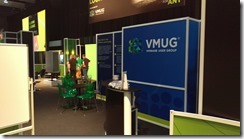
After the keynote (highlights were the docker announcements) I was on “booth babe” duty at the VMUG lounge. It was great to meet so many folk who were existing VMUG members and leaders as well as prospective new members. If you are at VMworld this year you should definitely stop by!
After lunch I hit the solutions exchange to catch up with a few vendors whom I had a few queries for also took the time to collect the #vExpert hoodie from @simplivity and the #vExpert tile from Tegile (thank you!) Suffice to say it was very busy and naturally noisy but judging by the many happy faces of people with various items of “swag” under their arms things were going well!
Written by Sam McGeown
on 13/10/2015My trip started with a farcical attempt to fly – my 11:50am flight on Sunday didn’t leave ‘til 3:30pm, but in light of William Lam’s travel woes on the same day, I don’t think I’ll complain to heavily. After a quick stop off at the Fira to register and grab my VMworld bag and I headed off to meet DefinIT co-author Simon (
Written by Sam McGeown
on 12/10/2015For the last few years at VMworld I’ve taken advantage of the discounted exam price and booked a “have-a-go” exam – typically an exam I’ve been wanting to do but not necessarily had the time I wanted to study for it. Since I have been fairly immersed in the NSX world for the last week, sitting in an NSX design and deploy class and surrounded by some very smart networking guys, I changed my “have-a-go” exam from the VCP6-CMA to the VCIX-NV.
Written by Simon Eady
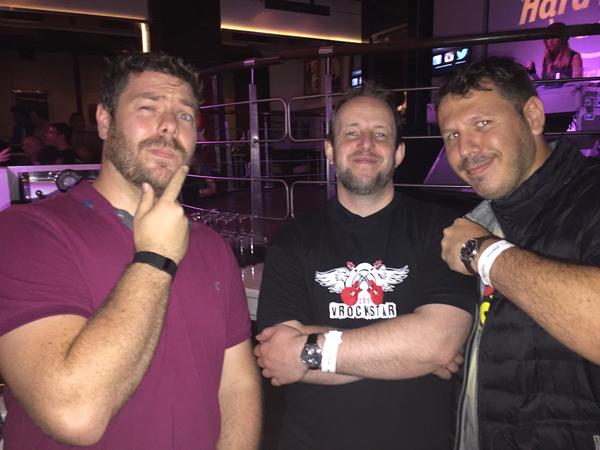
on 12/10/2015It’s PEX (Partner Exchange Day) at VMworld today so its busy but not the Tuesday (first day) of VMworld busy, last night saw a fantastic #vRockstar party and a great chance to meet and have a beer with many vTwitteratti.
Today of course has been largely overshadowed by the big new concerning the Dell announcement to purchase EMC which has triggered a great deal of discussion and a healthy amount of banter and snark! It should be interesting to see how it all pans out and tomorrows keynote will have a great deal of interest regarding any comments on the matter.
Written by Simon Eady
on 22/10/2014
As this was my first VMworld I am not ashamed to say I was really stoked about attending, many of my peers have attended in the past and were going to attend.
I flew in on the Sunday evening so that I could register early on Monday for partner day, however I did miss the chance to attend what turned out to be a very popular and very full Rockstar event on the Sunday evening.
Written by Sam McGeown
on 20/10/2014
*This post was meant to be published on Friday, VMworld Sleep Deprivation meant I didn’t click the button!*
This is the last post and a bit of a wrap up on my VMworld 2014 series!
There isn’t a keynote on day three, and there’s definitely a “winding down” feel as people tend to arrive later (if at all) and many are…feeling the effects of the previous night shall we say! That said, every session I wanted to attend was still fully booked and it was a case of queuing for the spare seats.
Written by Sam McGeown
on 16/10/2014
Day two of VMworld kicked off with a keynote session which traditionally includes demos of all that’s new. It was a well presented session with a glimpse into the sysadmin’s future with a demo of vCOps alerts popping up on Google glass. Since the sessions are available online I won’t go into detail, but it was worth a watch (if you didn’t watch the US one).
My morning consisted of preparations for the VCP NV (NSX) exam, which I detailed in a previous post. Very pleased to have passed what is a difficult exam.
Written by Sam McGeown
on 15/10/2014
It is with great relief that I can announce I have passed my VCP NV (Network Virtualisation) having been caught out by the difficulty of the exam and failing previously.
Exam Preparation
I was fortunate to attend a VMware internal bootcamp (roughly equivalent to the ICM course) for NSX and have had experience deploying production NSX environments, so that is by far the best preparation. As always, the